
Product
What happens after the comment?
One comment becomes one private conversation, and every step has a reason you can read.
On the customer’s phone
Comment to DM in four screens.
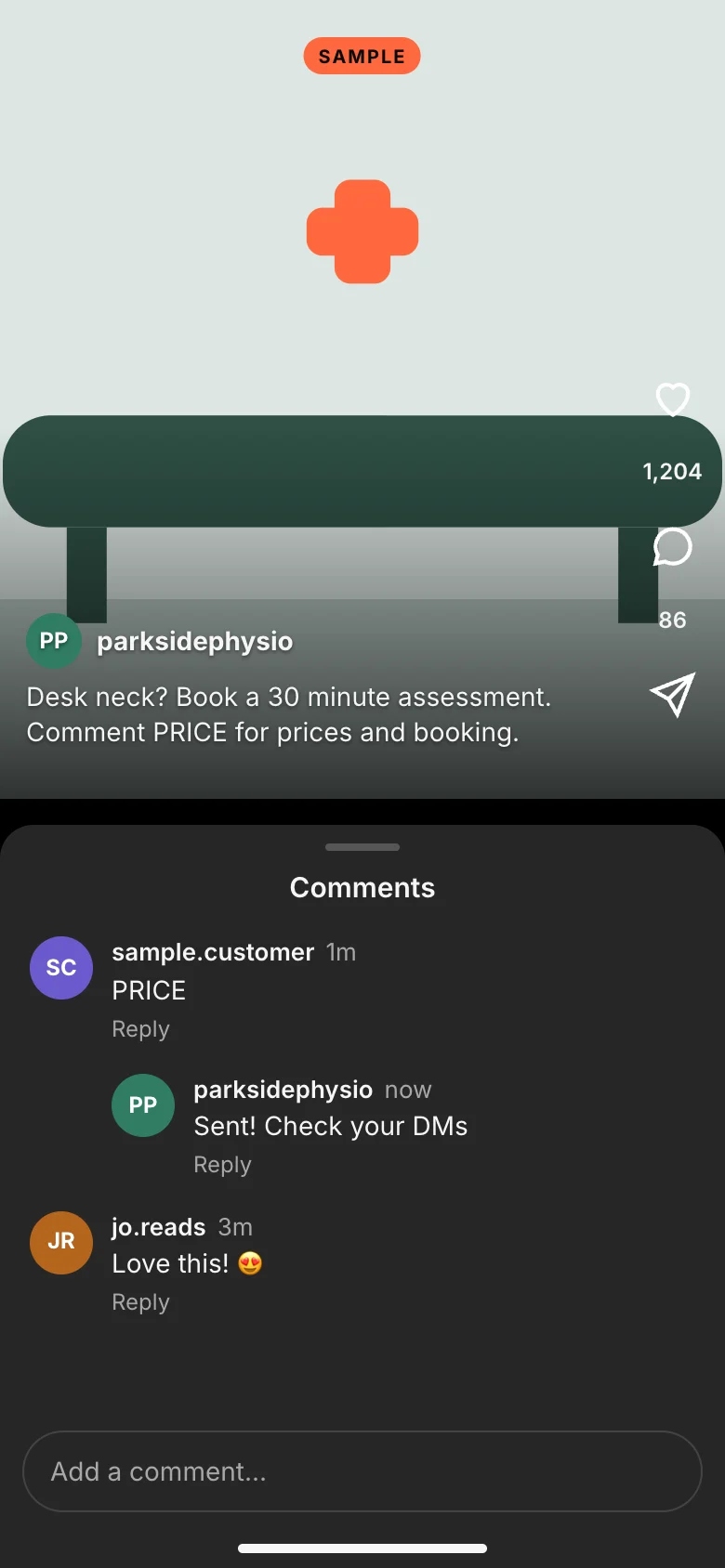
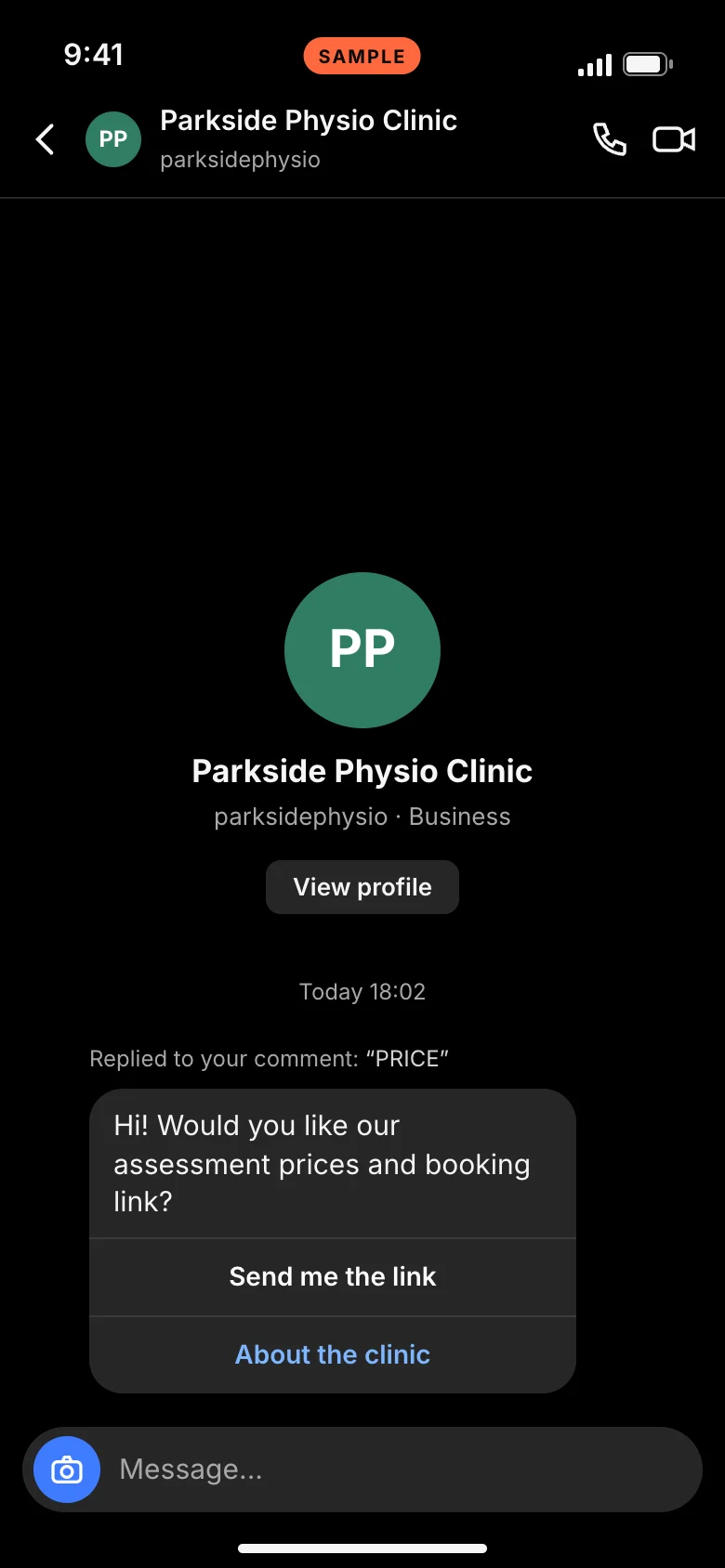
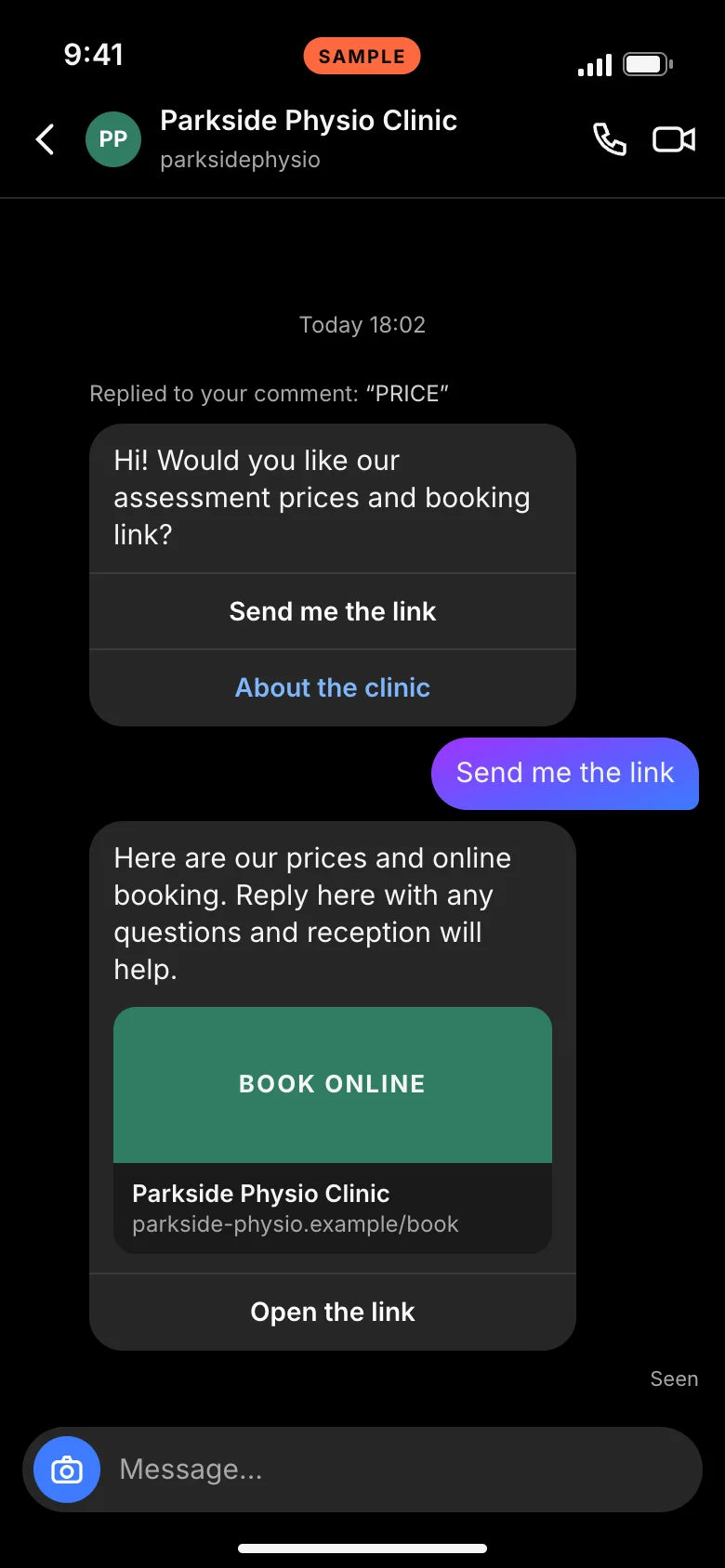
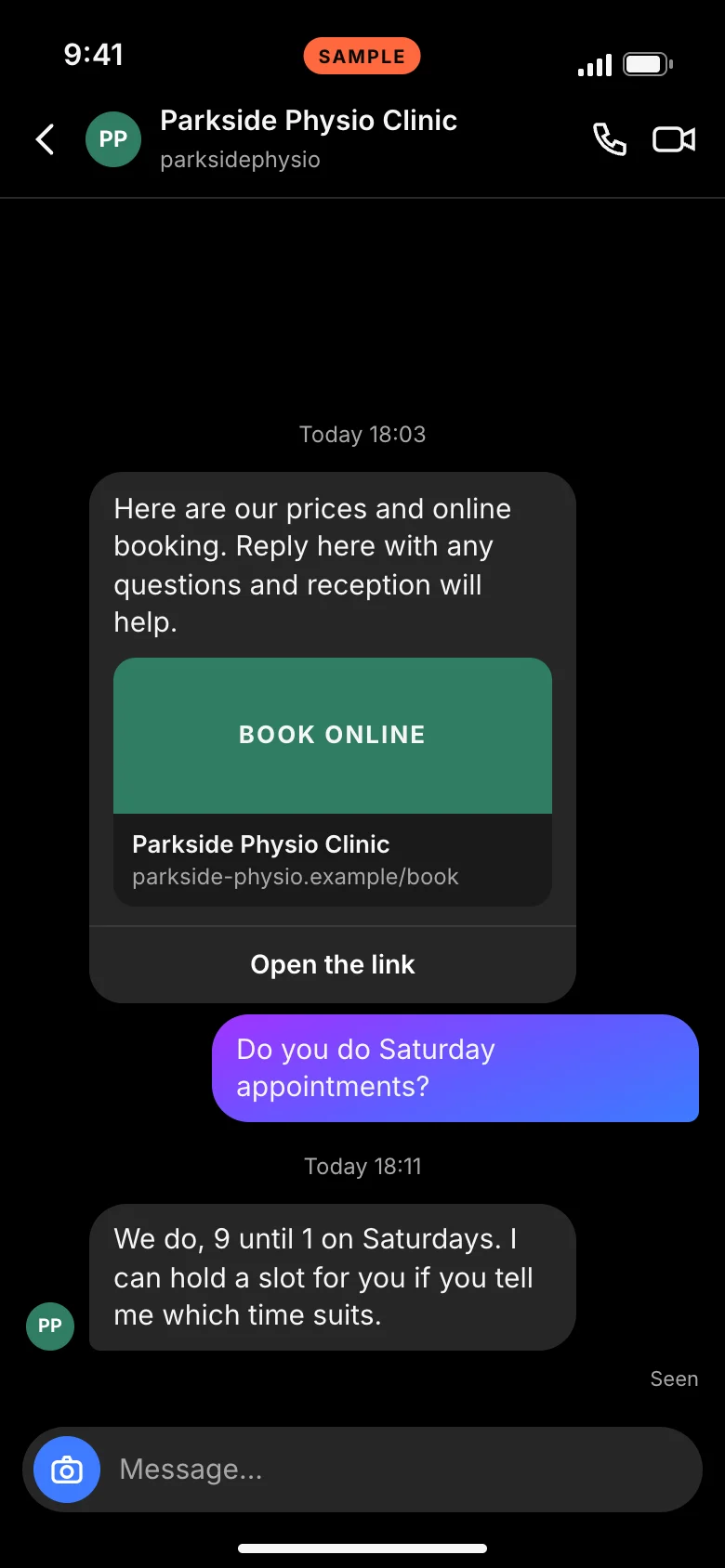
The post and the inbox, side by side.
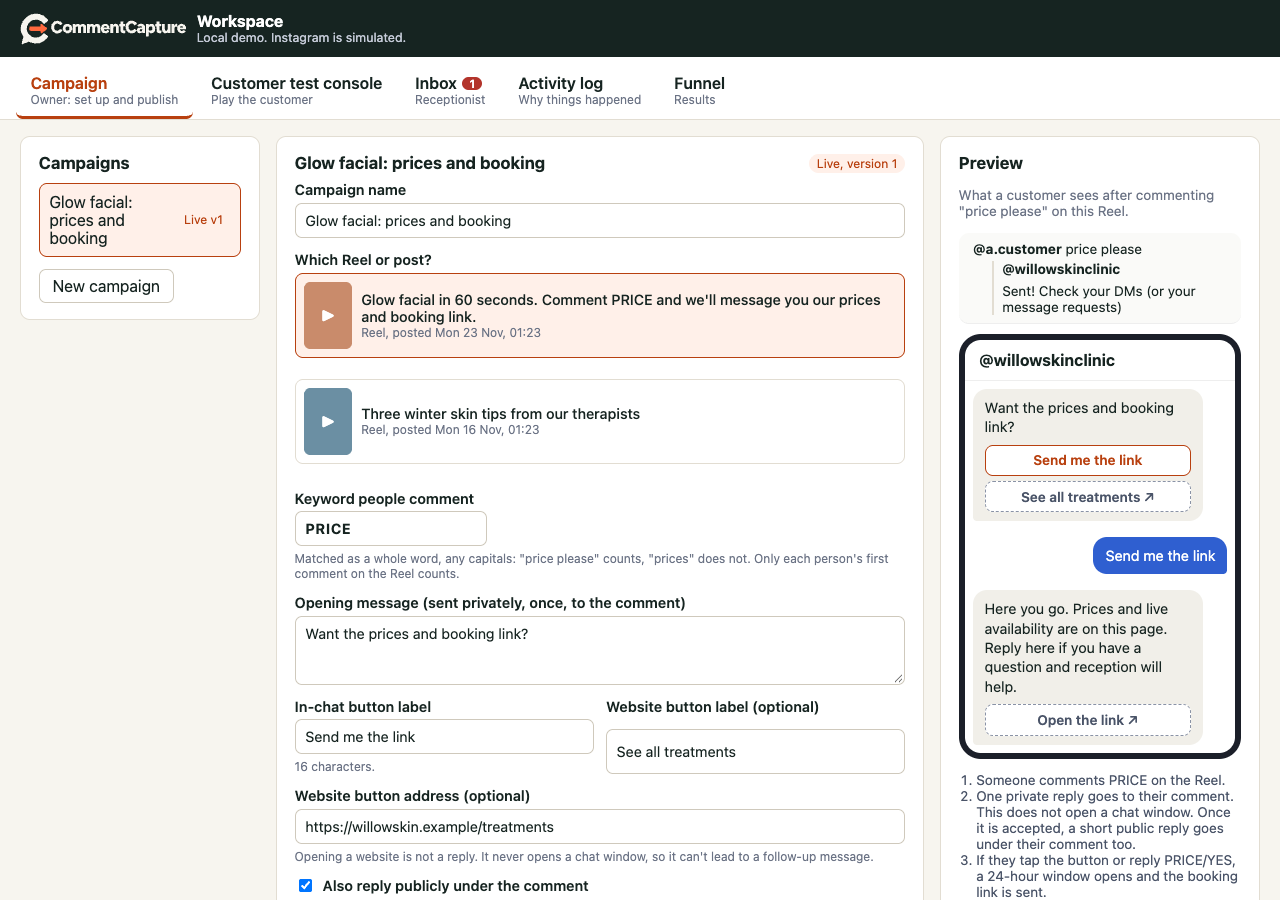
You set up the post
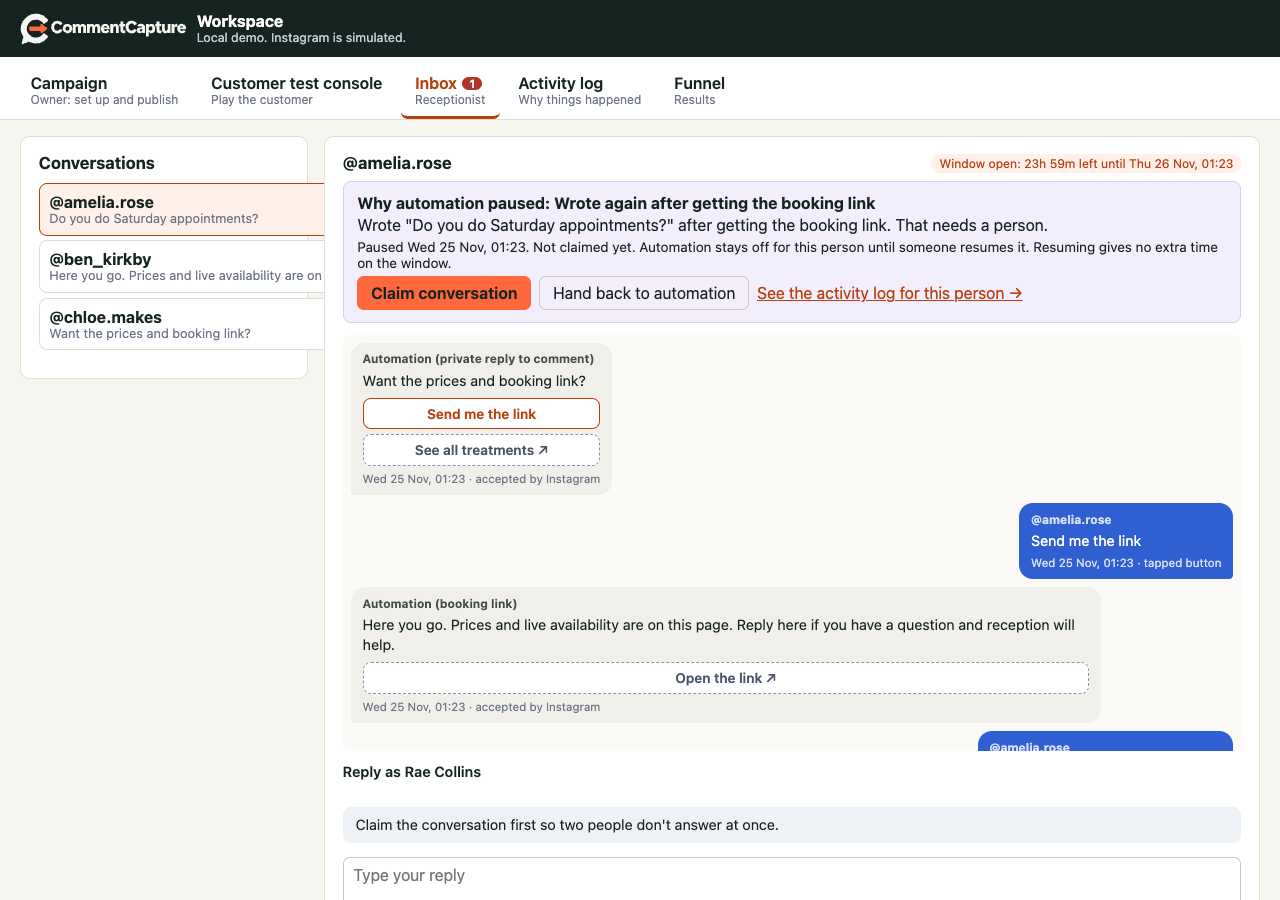
Your team sees the conversation
Five steps, one conversation.
Trigger
A comment containing your keyword, as a whole word in any capitalisation, on the post you chose. Only a person’s first comment on a post can start it, and your own comments are ignored.
Private invitation
One private reply to that comment, with a button. A short public reply under the comment is optional, such as “Sent! Check your DMs”.
Customer response
Tapping the button, or typing a short yes or the keyword, counts as asking. Opening a website link or saying nothing does not.
The link
Your booking link arrives as a message. Opened links are counted. Bookings are not claimed.
Human takeover
A question, or a reply the automation cannot be sure about, pauses it and assigns the conversation to your team, with the transcript and the reason.
Always on the record
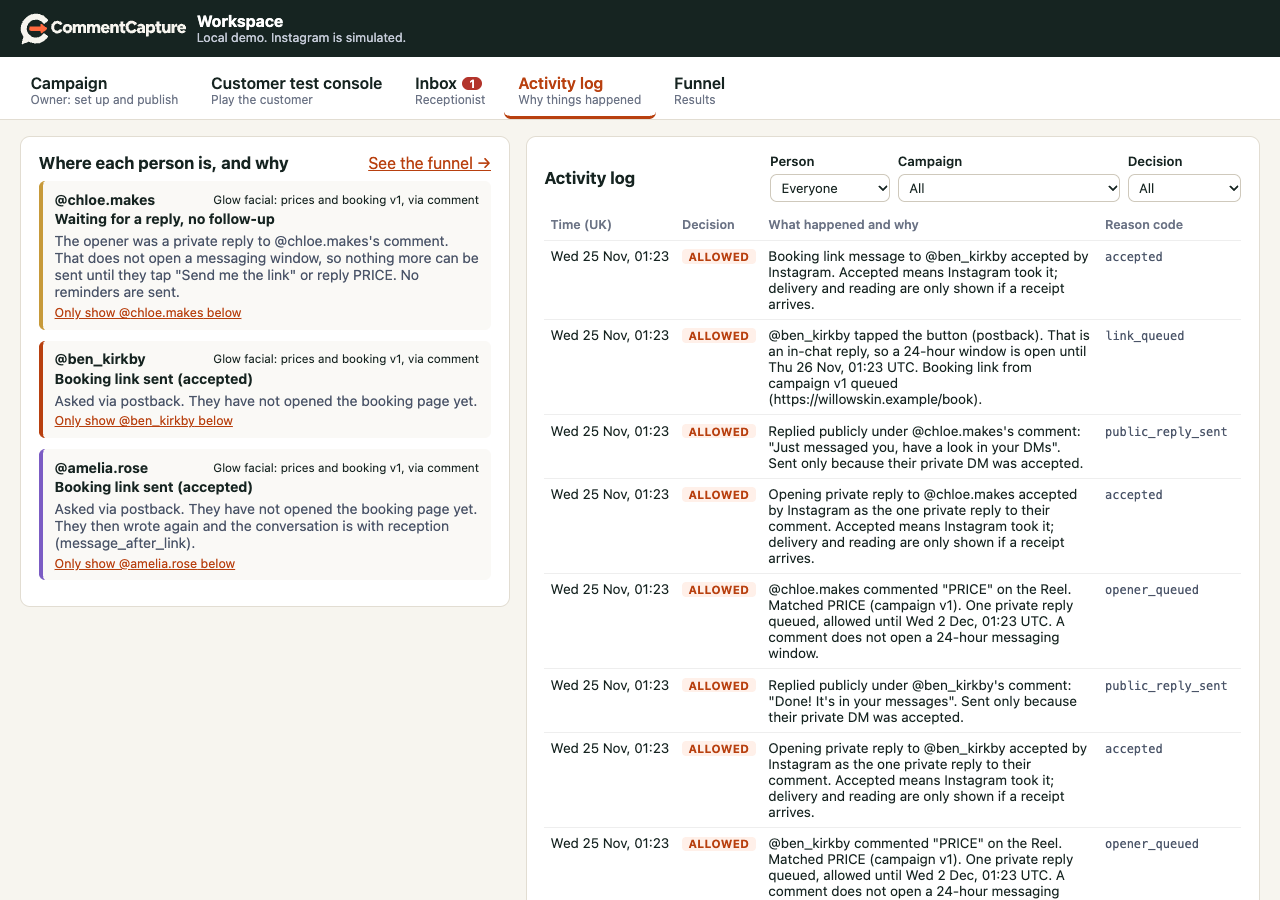
Every decision is logged with a plain reason, so “why did nothing happen?” always has an answer.
Know where people stopped.
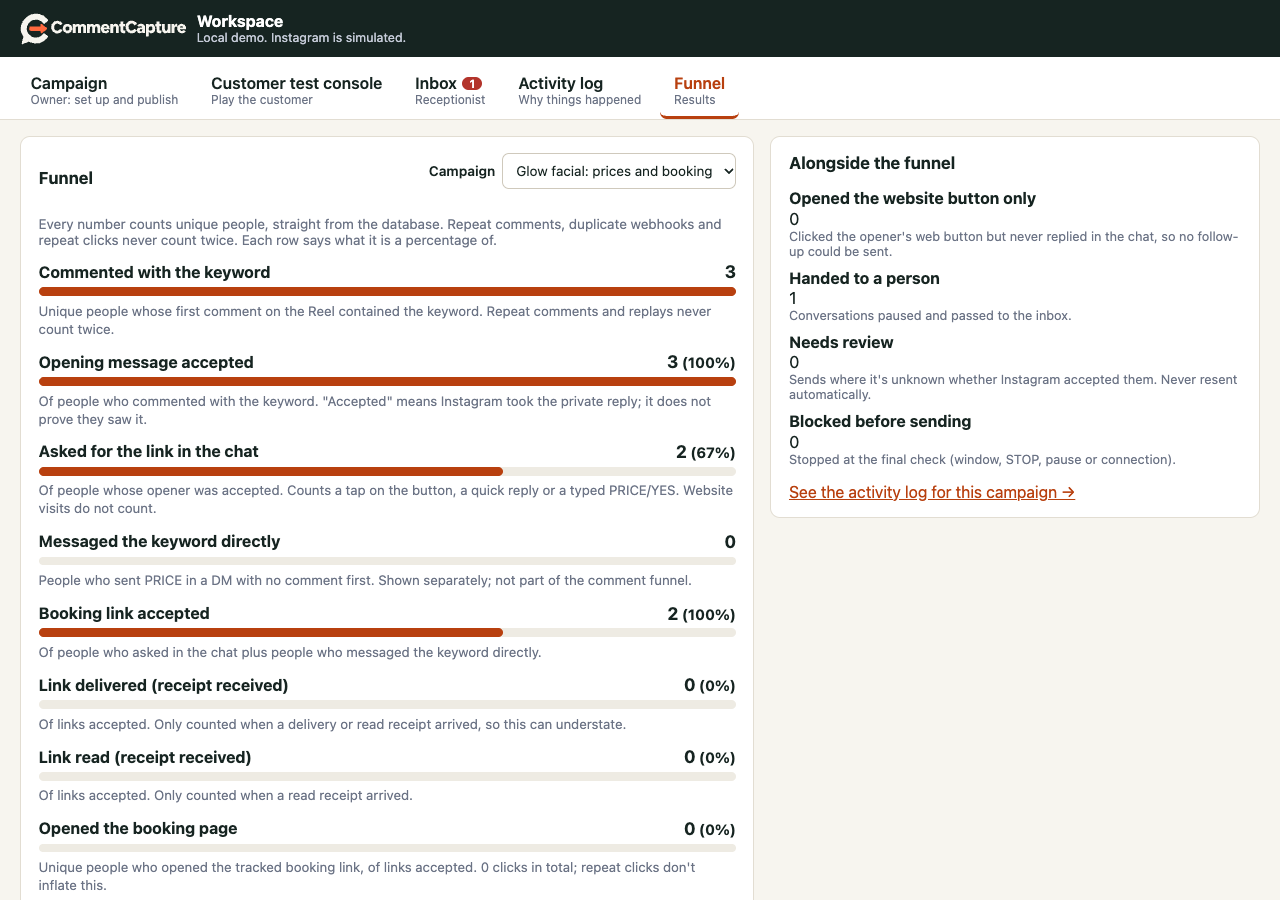
What works today.
| Working in the product | Not part of this version |
|---|---|
| Keyword trigger on a post or Reel | AI-written replies |
| One private invitation with a button, plus an optional public reply | Triggers other than comments |
| Typed replies, button taps and STOP | Other messaging channels |
| Human inbox with claim, reply and the reason for the pause | A booking system connection, so bookings are never confirmed |
| Activity log and a funnel of unique people | Self-serve sign-up for other businesses |
Where it stands.The demo runs on sample data. The Instagram connection has been tested on our own account and is not open to other businesses yet.
Test this conversation.
Comment on a sample post, tap the button, then ask a question.